Turn a start frame and an end frame into video. Paint the end state with AI image editing, render the motion between the two, then chain shots from the last frame. $0.10 per 4.33 s take.
Generate it from a prompt, or upload, paste or drop your own image. Its shape and size become the size of the whole sequence.
end frame
Paint the end frame
Describe how the shot should end. The start frame is edited into that state, so characters, framing and style carry over. Pull in reference images with @mentions.
take
Render the motion
The video model fills in the motion between the two frames, 3.33 to 10.00 seconds at 24 fps, with sound that follows the action. Each take is smoothed to 48 fps at no extra cost. Render as many takes as you like and keep the best.
next start frame
Chain the next shot
Accept a take and its exact last frame becomes the next start frame. Repeat, then export the whole chain as one MP4 with frame-exact cuts.
What you get
Start and end frame control
You decide where a shot begins and where it lands. The model only has to find the motion in between, which is why results follow your intent.
@reference images
Add up to 4 reference images and mention them by name in the prompt, such as “the exact same hat shown in @hat”. Crop a busy screenshot down to the object you want copied.
Seamless multi-shot chains
Each new shot starts on the decoded last frame of the previous take, and the export drops the duplicate frame at every cut.
Any shape
Widescreen, vertical, square or ultrawide, from 0.3 to 1 megapixels for video. Every edit and take is produced at exactly the sequence size.
High-resolution stills
Make and edit standalone images up to 4 megapixels with no video attached, then animate any of them when you are ready.
Pay per generation
No subscription, priced by GPU time. A 1 MP image is 2 credits ($0.02), a 4.33 second take is 10 credits ($0.10), and failed or cancelled generations are refunded.
API included
Everything the app does is available over a REST API with API keys: create a sequence, generate frames, render takes, accept and export.
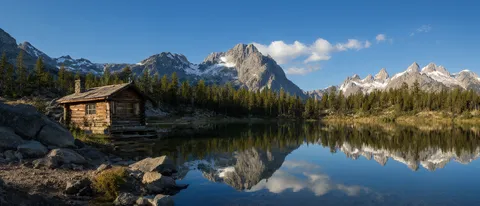
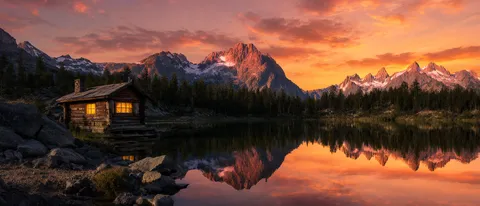
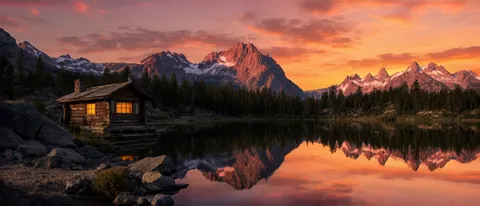
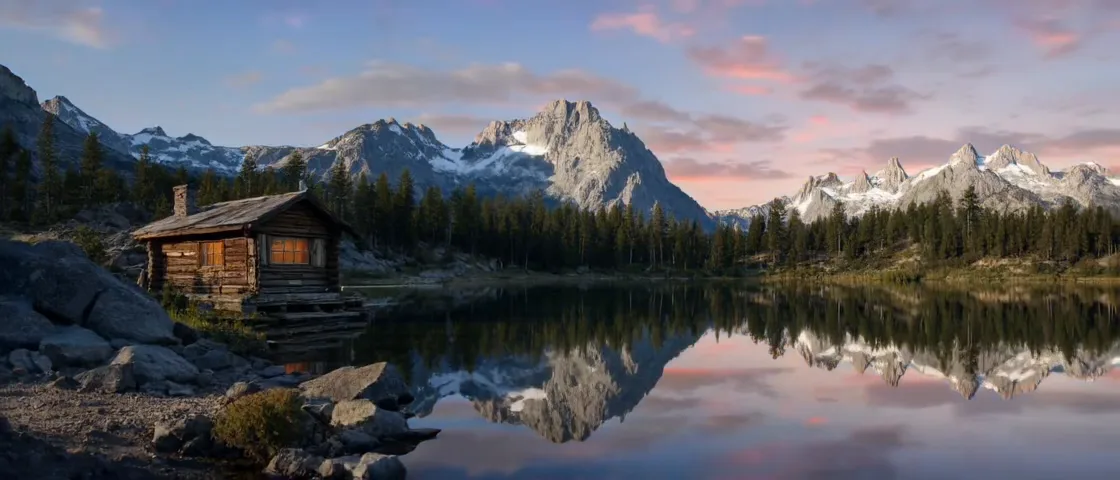
One tripod view of a mountain lake and its cabin, three shots, a whole night. Afternoon slides into alpenglow and the cabin lights come on; the sky goes black and fills with stars until the Milky Way arches over the peak; then the stars fade, mist forms on the water and the lights go off for sunrise. Each end frame is the previous frame repainted at a later hour, so the cabin, the rocks and the peaks never move. Birdsong, lapping water and a night chorus of crickets are generated with the picture.
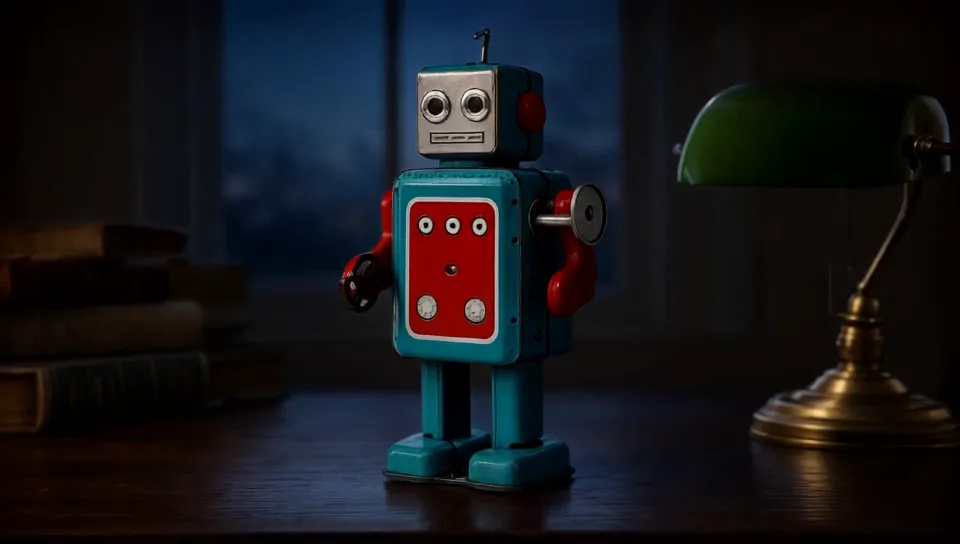
The tin robot was generated first as a product shot on white, then placed on a study desk by naming @robot in the opening prompt: the teal body, red chest panel, glass eyes and wind-up key all carry over. Shot one lets dusk fall and clicks the banker's lamp on. Shot two lights up the robot's eyes and turns its head to the camera while the desk stays still. The lamp click and the creak of the turning head come from the generated sound.
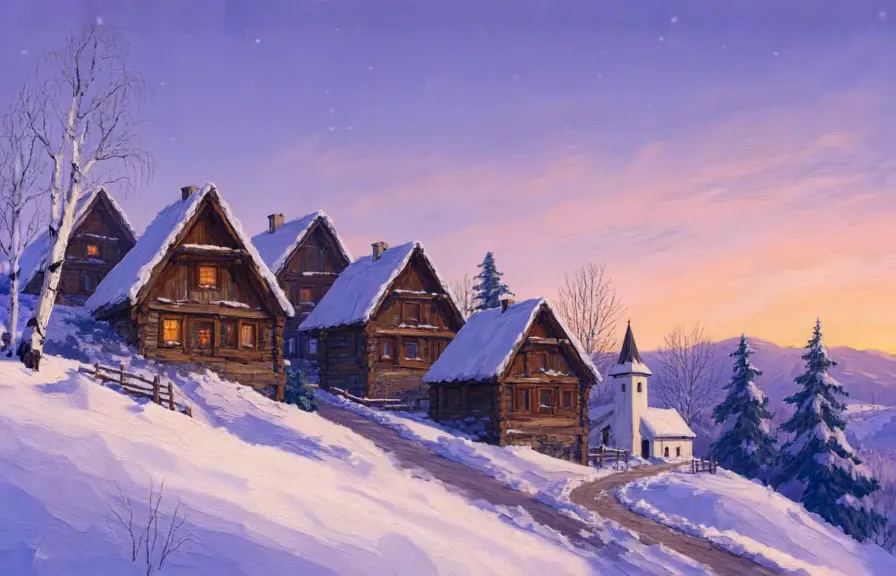
A painted mountain village through one night of snow. Dusk deepens, the chalet windows light up one by one and the first flakes begin to fall; then the snow eases, the sky pales to morning, the lights go out and chimney smoke rises. Each end frame is the same painting with different weather, so nothing on the slope changes. A winter wind and a slow church bell play under both shots.
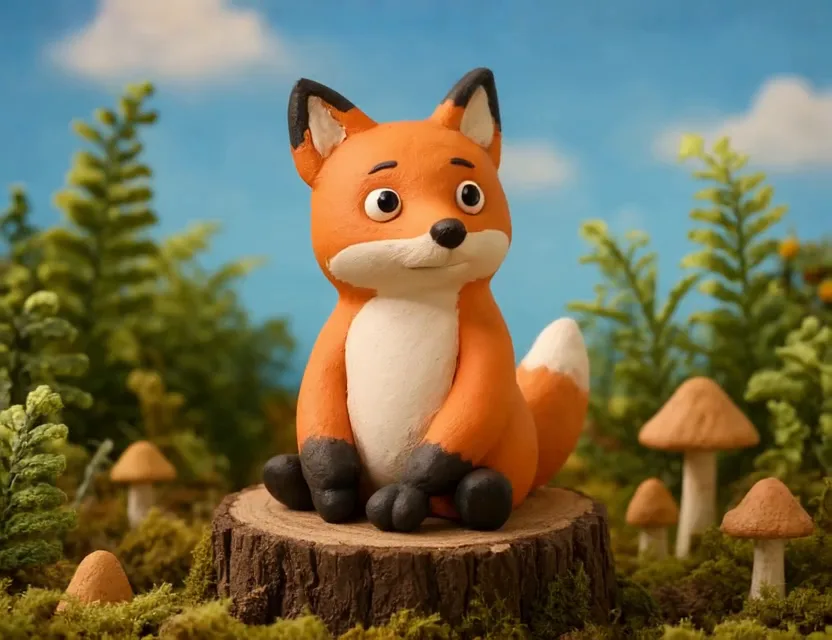
A plasticine fox on a stump in a felt forest. It turns its head to the camera, blinks and smiles, then grows drowsy and dozes off with the same smile. The set, the stump and the body are identical in every start and end frame; only the head and face move.
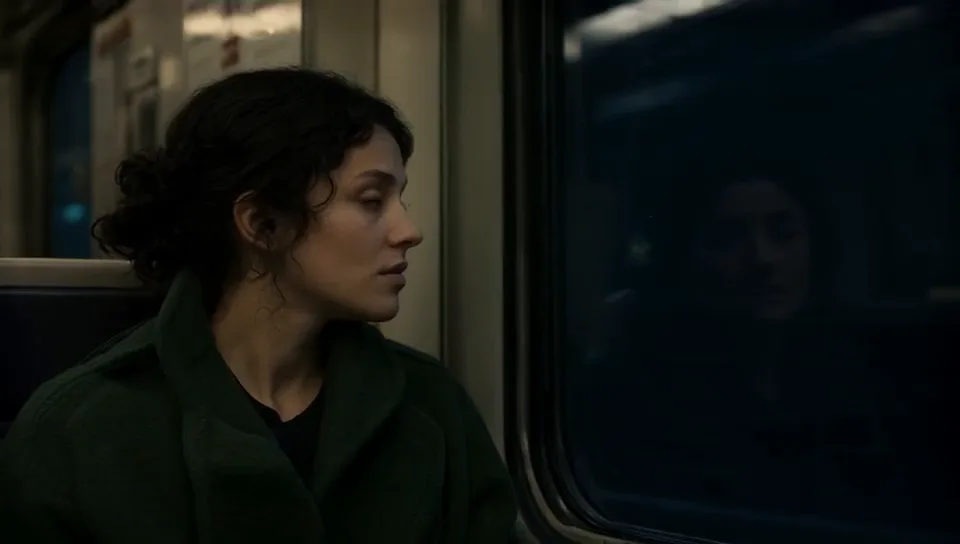
A locked-off close-up of a woman at the window of a night train. She turns from the dark glass to meet the lens, then a slow smile arrives. Both end frames are edits of their start frame, so the face, the hair and the coat hold across the cut. The clatter of the rails is generated with the picture.
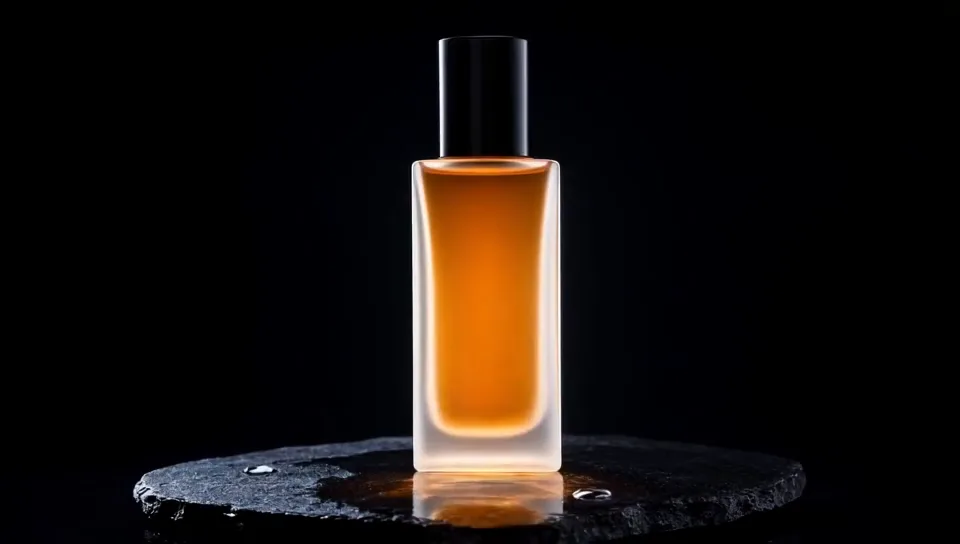
A frosted bottle on a wet stone slab. Shot one is a light reveal: the bottle starts in near darkness and the warm key light rises until the liquid glows and a caustic spreads on the slab. Shot two lifts the cap straight off the bottle to float above the nozzle. The bottle, the slab and the droplets never move; a bass swell and a glass chime are generated with the picture.
It is an AI video model that takes two images, the first frame and the last frame of a shot, and generates the motion between them. Because both ends are fixed, you control the outcome far more than with a text prompt or a single starting image.
Do I need a subscription?
No. You buy credits up front and spend them per generation, so you only pay for what you render. Failed and cancelled generations are refunded automatically.
How do I get an account?
Create one for free with a username and a password. No email is needed, so keep the recovery code shown once at sign-up: it is the only way to reset a forgotten password. New accounts may get free trial credits where available, and until the first purchase they run one generation at a time without API keys.
How do I pay?
Choose a pack or any amount from $5 to $500 on the Buy credits page. Pay by card on a secure checkout page run by Stripe, so your card details never touch Keytween, or pay with Monero (XMR) and save 9%: send the exact amount shown to the address in your payment request, and the credits are added once the payment has enough confirmations, usually within a few minutes. The credits are the same either way.
Can I get a refund?
Credits are non-refundable once they have been added to your account. Failed and cancelled generations are refunded automatically as credits. If you were charged twice or paid without receiving the credits, email [email protected] and we will put it right.
How long can a video be?
Each shot is 3.33 to 10.00 seconds (up to 6.67 at frame sizes above 0.6 MP). Shots chain together, so a sequence can run as long as you keep adding shots.
Can I make images without making a video?
Yes. The Images page generates and edits standalone pictures up to 4 megapixels, and edits work on any image you own at up to 2 megapixels. Any image can later become the start frame of a video.
How much does it cost?
One credit is $0.01. Images and edits are priced by how long they take on the GPU: a 1 MP image costs 2 credits (3 at 2 MP, 7 at 4 MP) and references add a little, and a 4.33 second video take costs 10 credits ($0.10). Smoothing a take to 48 fps is free. Credit packs from $10.
Can I use my own images?
Yes. Upload, paste or drag in any image as the start frame or as a reference. A start frame keeps its own shape and sets the size of the sequence.
How do I keep a character or object consistent between shots?
End frames are edits of the start frame, so identity carries over within a shot, and each new shot starts from the previous take's last frame. For specific objects, add a cropped reference image and describe exactly what to copy from it.
What do I get at the end?
An H.264 MP4 of every accepted shot stitched in order, with sound, at 48 fps unless you turn smoothing off, at the size of your start frame.
Your turn.
Creating an account is free. Credits are prepaid, and new accounts may get free trial credits where available.